Framer vs Webflow: Guide to Webflow Migrations, Alternatives, and Switching From Framer
.jpg)
Framer vs Webflow: Which Platform Should You Choose in 2026?

If you're comparing Framer vs Webflow, you're probably trying to figure out which platform can actually support your website as your business grows. The short answer is simple: Framer is ideal for fast, design-led websites, while Webflow is better for scalable sites, structured content, and long-term SEO performance.
Here’s where things get practical. The right choice isn’t about which tool is “better” overall, but which one fits your current stage. A polished landing page and a content-heavy marketing site might look similar on the surface, but they require completely different systems underneath.
Most founders think this is a design decision. It’s not. It’s an operational decision that affects how your team builds, publishes, and optimizes your site over time. And this is where most businesses get it wrong.
What is Framer and what is Webflow?
Before we go deeper, let’s define things clearly.
Framer is a modern website builder focused on speed, visual design, and rapid publishing. It feels closer to a design tool like Figma, allowing teams to go from prototype to live site quickly, with strong animation capabilities and minimal setup.
Webflow is a visual website builder with a powerful CMS and advanced SEO controls. It’s designed for teams that need structured content, scalability, and the ability to manage content long-term without relying on developers.
Webflow migrations refer to rebuilding an existing site (for example, from Framer) inside Webflow while preserving content, structure, and SEO performance.
Key Differences Between Framer and Webflow (Quick Overview)
At a glance, framer and webflow may look similar. Both are no-code platforms, both support animation, and both let you publish without writing custom code. But under the surface, they operate very differently.
Framer is built for speed. It’s great when you need to launch quickly, experiment, and iterate visually. The workflow feels intuitive, especially if your team already uses Figma or other design tools. For startups or campaigns, this can be a huge advantage.
Webflow, on the other hand, behaves more like a structured system. It’s not just about building pages, it’s about how you manage content over time. With its powerful CMS, deeper SEO controls, and flexible architecture, Webflow is better suited for websites that need to evolve, scale, and support multiple contributors.
Here’s a simple breakdown:
FeatureFramerWebflowEase of useVery intuitiveModerate learning curveCMSBasicAdvanced, scalableSEO controlGoodAdvancedAnimationStrongStrongBest forLanding pagesScalable websites
Here’s the key takeaway: Framer helps you launch faster. Webflow helps you grow longer.
Framer vs Webflow: Feature Comparison (SEO, CMS, Animation, Performance)
Let’s break it down in a way that actually matters to your business.
CMS and Content Management
Framer offers a simple CMS that works well for smaller sites. You can manage basic content and update pages without much friction. But as your content grows, things can become harder to structure.
Webflow offers a powerful CMS that allows you to create structured collections, reusable templates, and dynamic pages. This is critical for blogs, multi-location sites, or any business that needs to manage content at scale.
SEO Capabilities
Both platforms support SEO, but not equally.
Framer offers:
- Metadata control
- Redirect options
- Indexing rules
Webflow offers:
- Metadata and canonical tags
- Sitemap control
- Redirect management (including bulk)
- Schema and structured data options
If SEO is a core growth channel, Webflow usually performs better in the long run.
Animation and Design Flexibility
This is where things get interesting.
Framer is incredibly smooth for animation. It feels natural, fast, and closer to a prototype experience. If your site relies heavily on motion, Framer offers a very enjoyable workflow.
Webflow also supports animation, but within a more structured environment. You get strong interaction tools while maintaining full control over layout, responsiveness, and production-ready output.
Performance and Hosting
Performance depends more on how you build than which platform you choose. That said, Webflow gives you more control over structure, which often leads to more optimized outcomes.
Here’s the reality: a well-built Webflow site will usually outperform a rushed Framer site, but the opposite can also be true if execution is poor.
When Framer Is the Right Choice (and Its Limitations)
Framer makes a lot of sense when speed matters most.
If you’re launching a startup, testing positioning, or building a landing page, Framer allows you to move fast without getting stuck in setup. You can design, publish, and iterate quickly, which is exactly what early-stage teams need.
It’s also a strong fit when your website is intentionally simple. Maybe you don’t need complex content management, advanced integrations, or a large SEO strategy yet. In that case, Framer can do the job without unnecessary complexity.
But there’s a catch.
As your business grows, your website usually grows with it. More pages, more content, more updates, more people involved. This is where Framer can start to feel limiting, not because it’s a bad tool, but because it wasn’t designed for heavy content operations.
When Webflow Is Better for Scaling, SEO, and Growth
Most webflow migrations happen when a site outgrows its original setup.
This is especially common with founders and hospitality brands. You start with a clean site, then suddenly you need:
- Multiple locations
- Dynamic pages
- Blog content
- SEO optimization
- Ongoing updates
That’s when structure becomes more important than speed.
Webflow is better when your site needs to act like a system, not just a design. It allows teams to manage content, maintain consistency, and scale without rebuilding everything later.
And if you’re working with marketers, this matters even more. A marketer needs to update content, test pages, track analytics, and optimize performance without waiting on developers. Webflow makes that possible.
How to Migrate from Framer to Webflow (Step-by-Step Guide)
A proper framer to webflow migration starts with clarity, not design.
Before you rebuild anything, you need to understand what currently exists. That includes:
- All URLs
- Metadata
- Content structure
- Images and assets
- Forms and integrations
- Analytics setup
Skipping this step is the fastest way to lose SEO traffic.
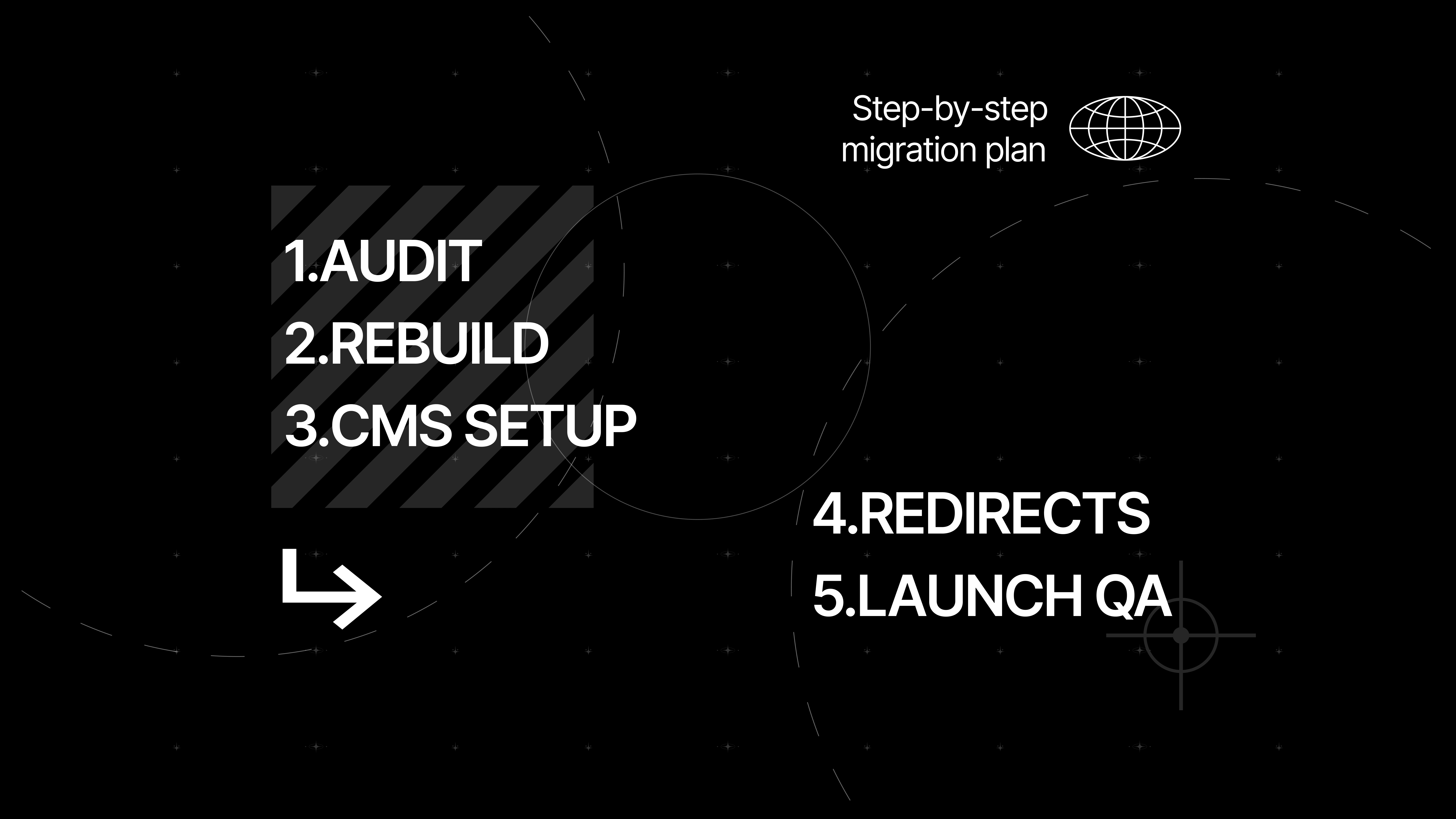
Once that’s done, follow this process:
- Audit your current Framer site
- Rebuild structure inside Webflow
- Create CMS collections and templates
- Transfer content and assets
- Recreate metadata and SEO settings
- Set up sitemap and indexing
- Add 301 redirect rules
- Test everything before launch
Here’s one piece of advice most people ignore: don’t design first, structure first. The structure is what makes your Webflow project scalable.
SEO, Performance, and Content Operations: Which Platform Performs Better?
Most people ask, “Which platform is better for SEO?” but that’s not the right question.
The better question is: which platform helps you consistently publish and optimize content?
Framer supports SEO basics like metadata, redirects, and indexing. For smaller sites, that’s often enough.
Webflow goes further. It gives you more control over:
- Metadata
- Sitemap
- Redirects
- Content structure
- Integrations with analytics tools
This makes it easier to optimize your site over time.
And here’s something worth remembering. Page speed and performance directly impact conversions. Even small delays can reduce engagement, which means performance is not just technical, it’s business-critical.
Best Alternatives to Framer and Webflow (When Neither Fits)
Sometimes, the right choice is neither platform.
If you need maximum flexibility, WordPress is still relevant. It offers a massive ecosystem of plugins and integrations, though it comes with more complexity.
If you need something simpler, other website builder tools may work. But in most modern cases, the real decision is still between webflow and framer, because both are powerful enough to handle serious projects.
So instead of asking which is better, ask yourself:
What does your website actually need to do?
Final Verdict: Framer vs Webflow for Your Business
So, framer vs webflow?
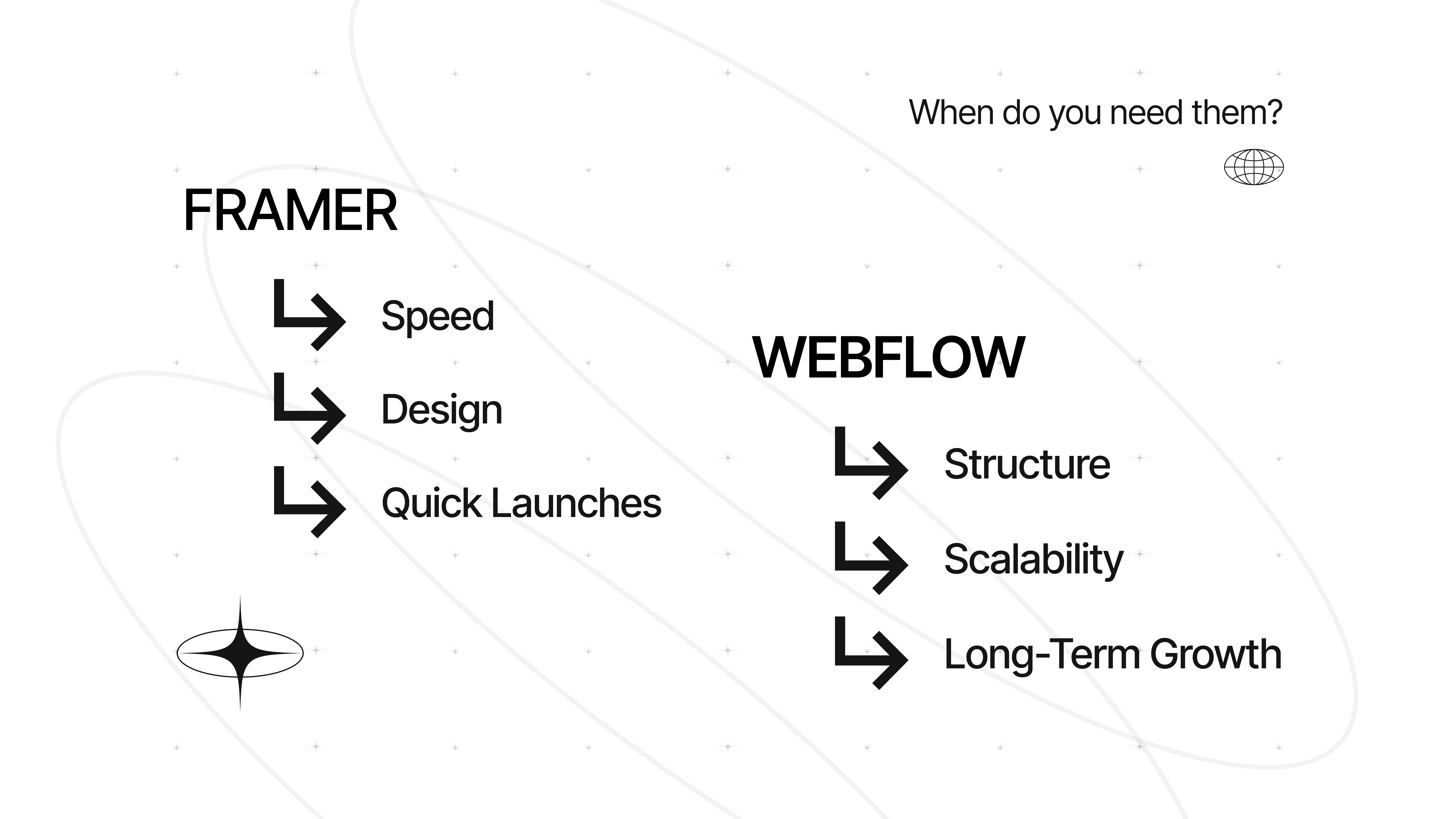
Framer is the better choice for speed, design, and quick launches. Webflow is the better choice for structure, scalability, and long-term growth.
If you’re switching from Framer, think of it as an upgrade in how your website operates, not just how it looks.
Because in the end, your website isn’t just a design. It’s a system that should support your business, not slow it down.

FAQs
Can you migrate from Framer to Webflow?
Yes, but there is no automatic export. A framer to webflow migration involves rebuilding your site in Webflow, transferring content, and setting up SEO elements like redirects, metadata, and sitemap configuration to preserve rankings.
Is Webflow better for SEO?
Webflow is generally better for SEO when managing larger or content-heavy websites. It provides more control over data, structure, and technical SEO elements, making it easier to optimize long-term.
Is Framer easier to use than Webflow?
Yes, Framer is typically easier for beginners, especially designers. Its interface is more intuitive and closer to tools like Figma, while Webflow has a steeper learning curve.
Which platform is better for startups?
Framer is often better for early-stage startups that need to move fast. Webflow becomes more useful as the company grows and needs more structure and scalability.
Can Framer handle large websites?
Framer can handle moderately sized websites, but it may become limiting for complex projects with large amounts of content or advanced SEO needs.
Should I choose Webflow or WordPress instead?
WordPress is still a strong option if you need full flexibility and a large plugin ecosystem. However, for modern no-code workflows, most teams choose between Webflow and Framer.
Is Webflow Good for SEO? Guide & Tips
Is Webflow good for SEO? Explore Webflow SEO capabilities, best practices, & tips. Learn whether to use Webflow to rank higher in search results.

Migrate from Squarespace to Webflow? Guide & Expert Review
Migrate from Squarespace to Webflow? Guide & Expert Review
Visual Storytelling in Your Sales Funnel
Unleash visual storytelling in the sales funnel! Craft a compelling video marketing strategy. Learn how storytelling in sales drives conversions.

Share this Blog Article on Social Media
See you
at 8:00.
Laptop optional.
Swimsuit recommended.
Excuses not accepted.
Let’s innovate together!