.png)
Wix to Webflow Migration: How to Migrate from Wix to Webflow
.jpg)
A practical guide for founders and teams planning a cleaner, more flexible website move

Moving a wix website to webflow sounds simple until you realize it’s usually not a literal transfer. In most cases, you’re rebuilding the front end, moving content, reconnecting your domain, and making sure search visibility doesn’t fall apart in the process. That sounds dramatic, but it’s manageable when the migration process is structured properly.
If you want the honest version, here it is. A wix to webflow migration is less like picking up a house and more like moving into a better one while trying not to lose your mail, your furniture, or your neighbors’ directions. For founders, operators, hospitality brands, and creative teams, the real goal isn’t just to migrate your website. It’s to end up with a better system, a stronger brand experience, and a site your team can actually grow with.
The first thing to know is that there’s no magic button that will transfer it to webflow. Wix doesn’t provide a native path to move an entire wix build directly into Webflow, and Wix also states that blog posts can’t currently be exported to other platforms. That means content from wix often needs a mix of manual migration, csv exports where available, and careful rebuilding inside webflow cms or static pages. Google also recommends handling URL changes with permanent redirects, which matters a lot if you care about seo and don’t want your traffic graph to look haunted.
Why businesses move from Wix to Webflow
Most teams don’t wake up one day and randomly decide to move to webflow. Usually, something starts to feel cramped. Maybe the site was originally designed in wix, but now the brand has evolved, the team needs more control, or the marketing stack has gotten more sophisticated than the original setup.
That’s where wix and webflow feel very different. Wix offers a fast, accessible website builder experience, which is why plenty of smaller teams get started there. But as content grows and brand expectations rise, webflow offers more design flexibility, cleaner structure, stronger layout control, and a workflow that often fits creative and operational teams better. In plain English, webflow gives you more room to build a site that feels intentional, not improvised.
For hospitality brands especially, design nuance matters. If your site needs polished storytelling, dynamic location pages, richer content management, or a more premium booking journey, using webflow tends to feel less restrictive. And for internal teams, webflow allows designers, marketers, and operators to collaborate without everything turning into a fragile little mess.
Before you migrate, audit the current site
Here’s where things get interesting. The success of a website from wix to webflow rarely depends on the visual rebuild alone. It depends on whether you understand what the current site is doing right now, especially which pages drive traffic, leads, bookings, or brand trust.
Start with a full inventory of your existing wix site. Export or document every important URL, page title, meta descriptions, forms, image assets, downloads, blog articles, and collection-based content. You should also note which pages earn backlinks, which ones rank, and which ones actually convert, because those pages deserve extra care during the migration process.
This is also the time to look at technical details people love to ignore until launch day. Check the html structure of important pages, document your analytics events, and review structured data, canonical tags, and internal links. It’s not glamorous work, but this is the part that separates a calm launch from a 2 a.m. panic session.
What you can export from Wix, and what you can’t
This is where a lot of guides get fuzzy, so let’s be direct. There is some way to export data from Wix, but it depends on the content type. Certain CMS collections and contact data can be exported, and if you’re handling redirects later, that documentation becomes useful as well. But Wix officially says there’s no native way to export blog posts to other platforms, which means teams planning to migrate from wix to webflow should expect manual work or custom extraction for blog-heavy sites.
That limitation matters more than people think. If your brand publishes destination guides, hotel updates, campaign articles, or thought leadership pieces, your blog is not “extra.” It’s part of your search footprint. So if you want to migrate to webflow cms, plan the content model first, then map fields carefully, and only then start rebuilding.
This is also why some teams assume they can move directly into webflow in a weekend and end up regretting it. You can absolutely successfully migrate, but only if you treat the content layer as seriously as the design layer.
How to rebuild the site in Webflow
A good wix to webflow project starts by recreating the architecture, not by dragging random sections around until they look expensive. Think in systems. Static pages become static pages, repeatable content becomes CMS collections, and shared components become reusable patterns inside your new build.
For example, a hospitality group might create collections for locations, rooms, offers, or press mentions. A creative team might structure case studies, services, industries, and team profiles. That’s the practical value of content management in Webflow. Instead of editing the same layout in five places, you build once and scale intelligently.
And yes, this is the moment to make some judgment calls. Don’t blindly copy your old wix site if it was cluttered, slow, or structurally weird. A migration is a chance to clean house. Most founders think the problem is only visual polish, but often the deeper issue is that the site was never organized to grow.
How to protect SEO during the move
If you care about traffic, this section matters most. The best way to protect seo in a site from wix to webflow move is to preserve as much URL logic as possible, keep page intent intact, and set up 301 redirects for any URL that changes. Google recommends permanent redirects for site moves with URL changes, and Webflow supports importing redirects by csv, which makes large redirect maps much easier to manage.
Also move over your titles, meta fields, image alt text, headers, and internal linking patterns. Keep your top-performing pages recognizable to both users and search engines. This is not the time to rename every slug because someone suddenly decided shorter URLs “feel modern.”
There’s another catch. If the migration includes a domain from wix to webflow change, Google’s Change of Address tool may help when moving between domains, but only after the new destination is live and properly redirected. So don’t rush that step. Get the redirects right first, then notify Google through Search Console if the move qualifies.
Domain transfer vs DNS connection, don’t mix them up
A lot of teams say they want to “move the domain,” when what they really mean is they want the site to go live on Webflow. Those are related, but not the same thing. You can often keep the wix domain registered where it is and simply repoint wix dns settings to your new webflow site. Wix also provides a process if you truly want to migrate their domain from wix and complete transferring the domain away from the platform.
This distinction matters because a lot of businesses have email, records, and other settings tied to the domain. If you casually change everything at once, you increase the odds of breaking something boring but important. And boring but important is still important.
Webflow’s current documentation says live sites need updated DNS records to publish changes on custom domains, and it provides the production records you should use in your site settings. So when you want to migrate, plan the launch with whoever manages the registrar, email, and DNS. It’s not hard, but it is precise.
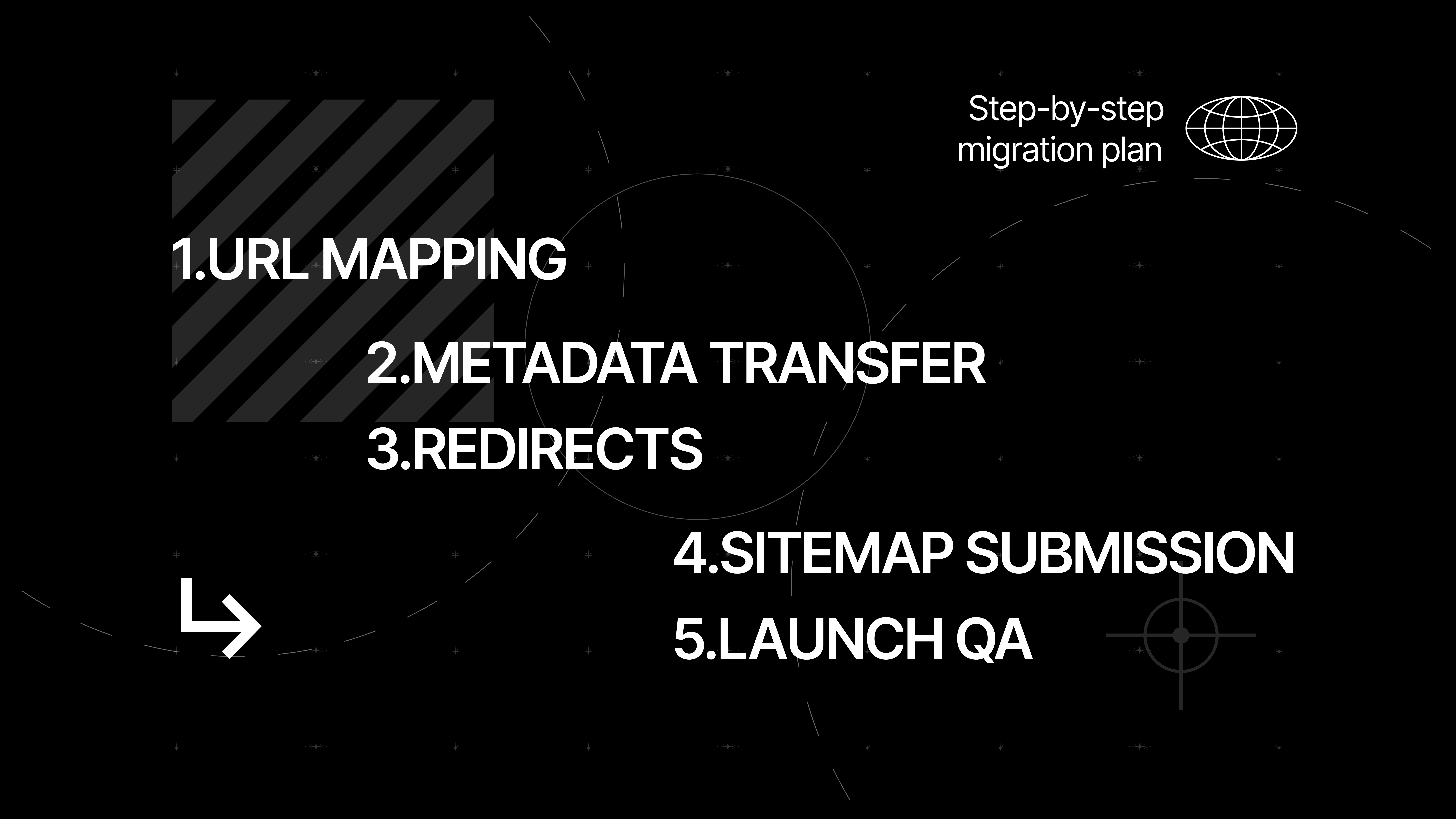
A simple step-by-step migration plan
If you like clean process, here’s the step-by-step version:
- Audit the wix site and export what you can.
- Map the content model and decide what belongs in webflow cms.
- Rebuild the design and templates in Webflow.
- Move content manually or by import where possible.
- Recreate forms, analytics, integrations, and automations.
- Build and test redirects.
- Connect the domain from wix or update DNS.
- Launch, monitor, and refine.
That’s the framework whether you migrate wix to webflow internally or use migration services. The main difference is who owns the execution. If your team has a solid webflow designer, a technical marketer, and patience, great. If not, a professional webflow partner can often help you migrate faster and with fewer mistakes.
At 134 Agency, we’ve seen brands focus too much on the homepage and not enough on launch mechanics. That’s backwards. A pretty new website with broken forms, missing redirects, and disconnected analytics is just an expensive misunderstanding.
.png)
Common mistakes founders and teams make
The most common mistake is assuming the move is mostly visual. It isn’t. Migrating a website is really a coordination project across design, SEO, operations, and content. That’s why the line between “simple redesign” and “actually risky migration” is thinner than most people expect.
Another mistake is trying to improve everything at once. Yes, Webflow can help you optimize the design, clarify messaging, and improve user flow. But if you change page structure, rewrite every page, rebuild navigation, change slugs, and launch a new site on a new domain in one shot, you’ve created too many moving parts.
And here’s a mildly annoying truth. Some teams compare Wix only to wordpress and assume Webflow sits somewhere in the middle. That’s not really the useful comparison. The better question is this: what does your team need to operate confidently six months from now? The best wix alternative for one company might be different for another, but for design-led teams, Webflow often wins because the workflow is clearer.
Should you do it in-house or hire help?
If your site is small, content-light, and not especially important for search, you can probably handle the basics yourself. But if the site drives revenue, supports multiple locations, or acts as your brand’s main sales environment, don’t underestimate the details. This is where webflow development expertise pays off.
A good webflow agency won’t just rebuild pages. It will audit content, preserve rankings, map redirects, rethink structure, and help you migrate without treating the site like a generic template swap. That’s a very different service from someone simply recreating screens.
If you’re not sure which path makes sense, book a call with the team handling the project and ask practical questions. How will they preserve SEO? How will they handle blog content? How will they test forms and redirects? That conversation will tell you a lot. And yes, if you need hands-on wix to webflow migration services, you should ask about process before portfolio.
Final thoughts
The smartest way to migrate your site from wix isn’t the fastest one. It’s the one that protects what already works while giving your team a cleaner system for what comes next. That’s the difference between a stressful platform switch and a useful business upgrade.
So, can you move from wix to webflow without chaos? Absolutely. But wix to webflow without a plan is where most trouble starts. Treat the redesign, the content model, the domain, and the redirect logic as one connected project, and the move becomes far more predictable.
If your team is ready to migrate your website from wix, take the boring details seriously. They’re usually the difference between “launch complete” and “why did our traffic disappear?”

FAQs
Can I migrate my Wix website to Webflow directly?
Not in a true one-click sense. Most teams rebuild the site in Webflow, then move content manually or through limited exports, depending on what Wix content types are involved. That’s why planning matters more than people expect.
Will I lose SEO if I move from Wix to Webflow?
Not necessarily. If you preserve page intent, keep URLs where possible, and use 301 redirects for changed pages, you can protect a lot of existing search equity. The biggest losses usually come from sloppy launches, not from Webflow itself.
What happens to my blog during a Wix to Webflow move?
This is often the trickiest part. Wix says blog posts can’t currently be exported natively to other platforms, so blog-heavy sites usually require manual migration or custom extraction workflows. That’s why editorial sites need extra scoping before launch.
Should I transfer my domain away from Wix?
Only if you want your registrar moved too. Plenty of teams leave registration where it is and just update DNS so the site points to Webflow. That’s often simpler, especially when email and other records are already in place.
How long does a Wix to Webflow migration take?
It depends on size, complexity, and how much content needs to be rebuilt. A lean marketing site may move fairly quickly, while a multi-location or content-rich brand site can take much longer because the real work is in structure, QA, and post-launch validation.
When should I hire a Webflow partner instead of doing it myself?
If the site affects lead generation, bookings, revenue, or brand perception, it’s worth considering outside help. The more SEO history, CMS complexity, and integration logic you have, the more valuable experienced migration support becomes.
Four minutes to the best marketing in Florence
What can a sandwich in Florence teach us about branding and hospitality marketing? A story of hype, human connection, and what brings guests back.

The White Tablecloth Dilemma
A simple hospitality decision revealed how small details shape expectations, influence behaviour and quietly decide who walks through the door.

Webflow Shopify Integration: How to Integrate Shopify with Webflow for a Better Ecommerce Experience
Connect your storefront: Integrate Shopify with Webflow to design unique ecommerce experiences. Build a headless Shopify store and customize the buy button.
.png)
Share this Blog Article on Social Media
See you
at 8:00.
Laptop optional.
Swimsuit recommended.
Excuses not accepted.
Let’s innovate together!